

How do you start your trial?
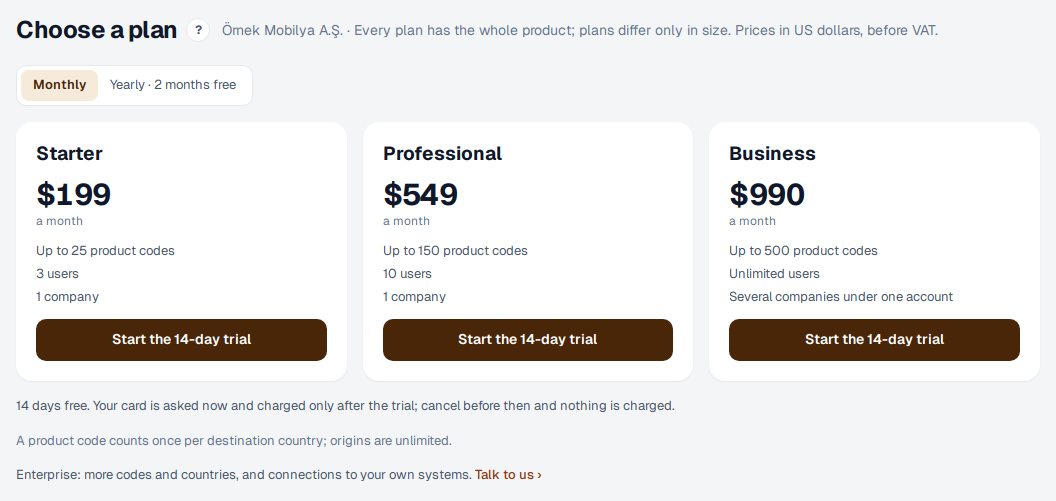
Every plan comes with a 14-day free trial. We ask for your card when you start, but nothing is charged today; cancel before the 14 days are up and you pay nothing.
- On eximcast.com, press “Start the 14-day trial”. Enter your company's name, your name, your work email address and a password.
- We email you a 6-digit code; enter it on the next screen. The code is valid for 30 minutes and you have 5 tries. If it hasn't arrived after a few minutes, check your spam folder or press “Send the code again”.
- Choose your plan. You can pay monthly or yearly; paying yearly gives you two months free.
- Enter your card on Stripe's secure page. You are charged only when the trial ends.
- On the next screen, pick a day and time for a 30-minute setup call, or press “Call me today”. If you'd rather start alone, press “Continue on my own”.
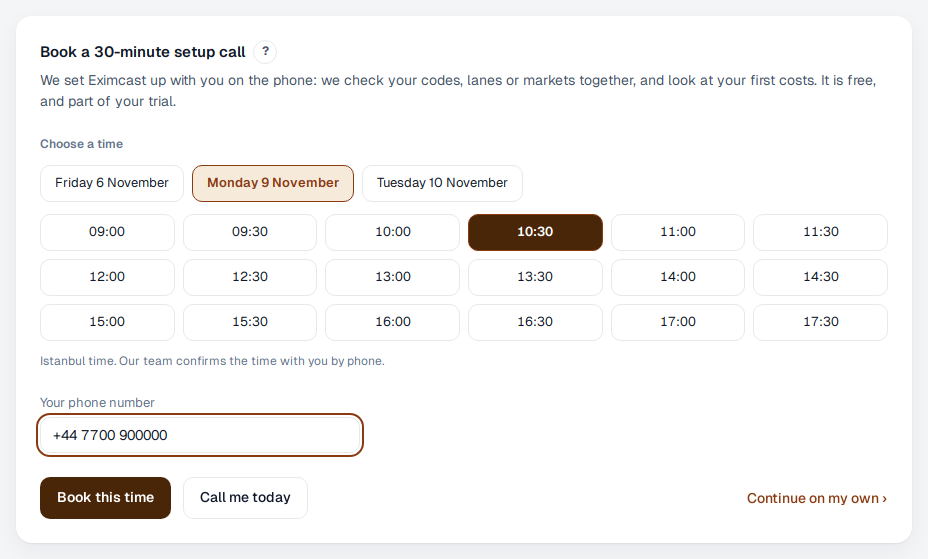
On the call we upload your declaration list with you or enter your items together, check your codes, lanes or markets, and look at your first costs. Our team calls to confirm the time, and you also get a confirmation email.