

How do you add your freight rates and supplier quotes?
For the landed cost to be right, we want to work out freight from what you actually pay. Without your own rate we use the container index, and the lane's freight says so.
- Upload your forwarder's freight quote, a PDF or an Excel file, under Company → Data imports.
- We read the prices from the file. Check the route, the unit, the price and the validity of each line; nothing is saved until you save it.
- On a lane without a freight price, press “Add freight” and enter your forwarder's rate in one line.
- If you have a freight contract, press “Edit” next to the freight line on Lanes. Enter the forwarder, how it is carried, the unit of the price (40' container, full truck…), the price and the end date.
- If your supplier has sent a new price, update the price line in the same panel with “Edit”, and enter the date it applies from.
- A valid contract is used first; then a valid quote; then the index. The end dates of contracts and quotes are listed among your deadlines.
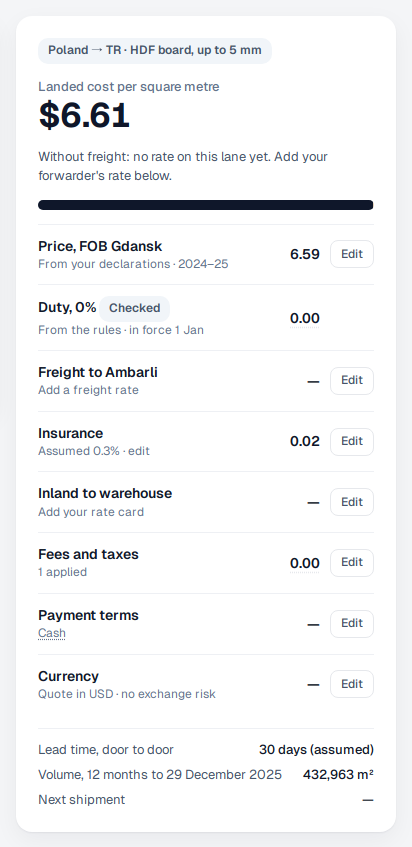
When a lane says “without freight”, there is no rate of yours for that route yet, and no index covers it. Once you add your forwarder's rate, the cost is complete.