

How do customs brokers use the Portfolio?
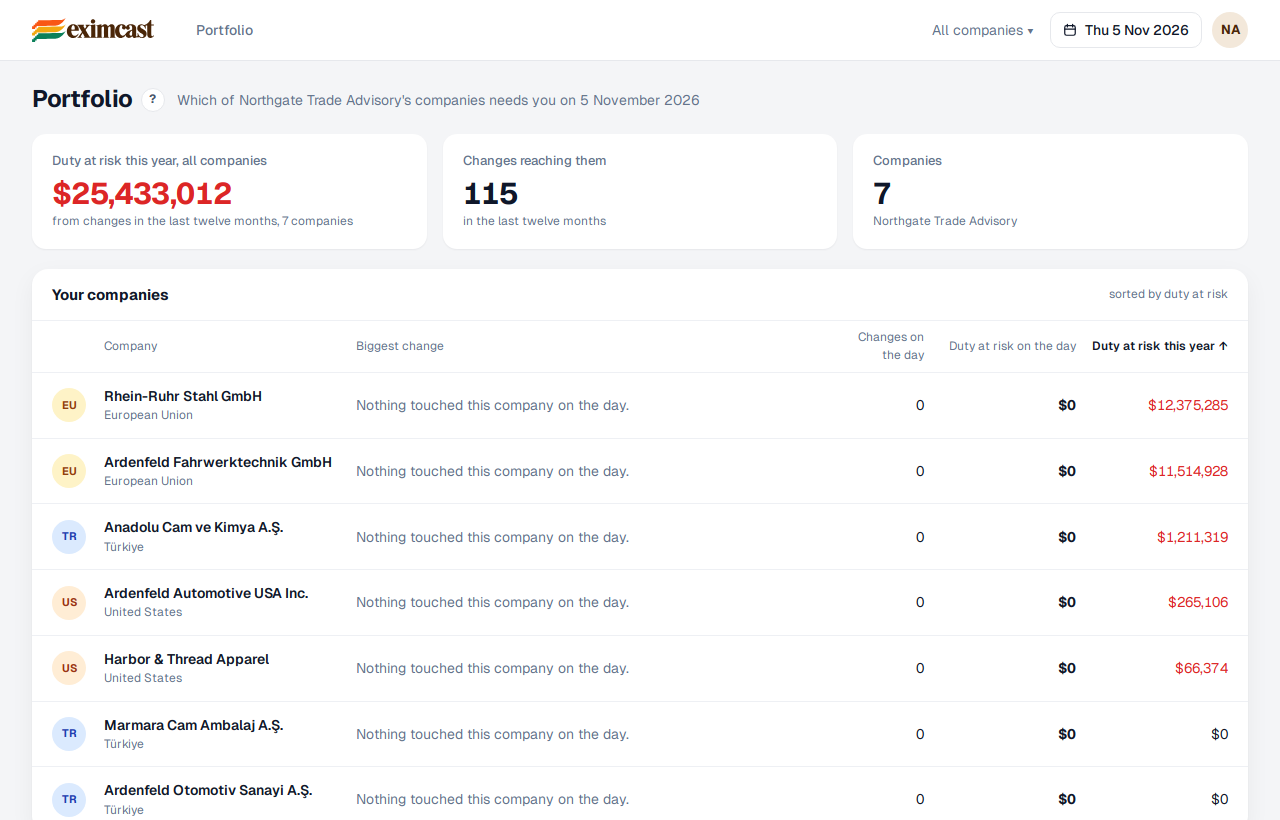
The Portfolio shows your client companies on one screen: the changes that affect each of them that day and the duty at risk. They are sorted by duty at risk, the most exposed first. You see your clients' screens read only.
- While your Portfolio is empty, copy your referral link at the bottom with “Copy the link” and send it to your clients. Each company that signs up with it joins your Portfolio by itself.
- Click a company to open its Today. “Read only” shows at the top right: you see everything, but you don't add or confirm anything.
- Change the date at the top right to see your Portfolio on any day.
- When a company that came through your link starts paying within 6 months of the introduction, you earn 20% of what it pays in its first 12 months, before VAT.
- By the 10th of each month we email you the previous month's statement: which company paid what, and your share. Once at least $100 is due, we pay it by the 20th, in US dollars, to an account in your own name; anything below $100 carries over to the next month.
We open the Portfolio for you: first open your own account on eximcast.com, then write to support@eximcast.com. Payouts start once the partner agreement is signed. What you've earned and been paid is always shown under your link.