

What does your buyer pay for your product?
The Markets screen shows what each product you sell costs, delivered to your buyer's door, in each market: your price, freight, the duty at the border and the fees. Next to it are the delivered prices of your competitors selling to the same buyer.
- Choose the product at the top. In the table by market, each row is a market and a buyer: your duty, your delivered price, the cheapest competitor and your place.
- Below, you see who else sells into that market: the duty each origin pays at the border, the freight and the delivered price. The last column shows the difference from you.
- The panel on the right lists the parts of your delivered price and their sources. You can update your price, the insurance or the inland transport with “Edit”.
- If the buyer doesn't share its competitors' offers, the price shows as unknown. If you've heard a price, enter it with “Add a price you have heard”; a difference is shown only where we know the price.
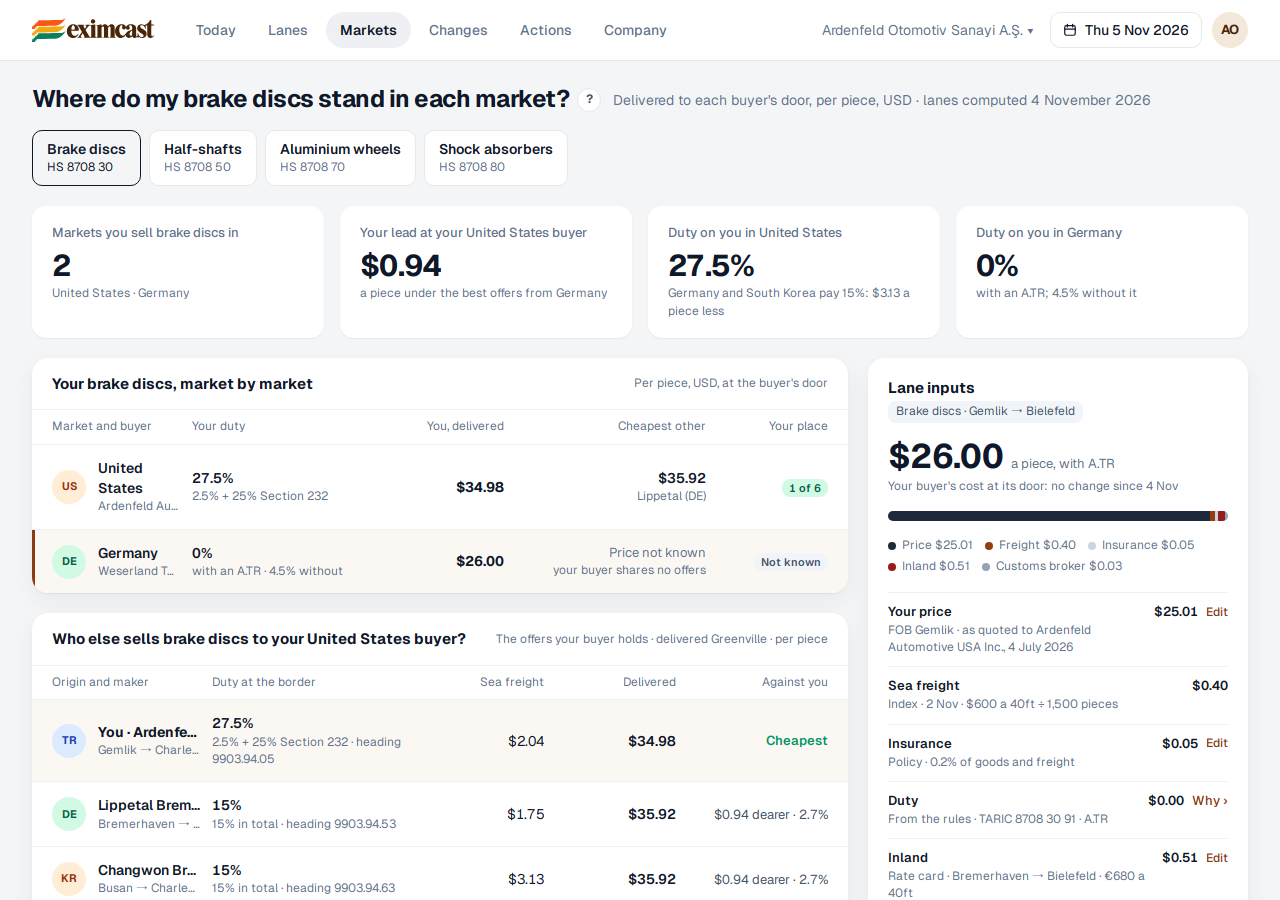
Your place is where you stand among the offers your buyer holds: “1st of 6 offers” means yours is the cheapest.